





![Apple Watch SE (2nd Gen) [GPS 40mm] Smartwatch with Starlight Aluminum Case with Starlight Sport Band S/M. Fitness & Sleep Tracker, Crash Detection, Heart Rate Monitor](https://www.tech-bit.com/wp-content/uploads/2024/06/applewatchse2ndgengps40mmsmartwatchwithstarlightaluminumcase-360x180.jpg)

![SAMSUNG Galaxy Buds Pro 2 [2022] (SM-R510) - (Gray)](https://www.tech-bit.com/wp-content/uploads/2023/10/samsung-galaxy-buds-pro-2-2022-sm-r510-gray-360x180.jpg)





![Apple iPhone 15 Pro (128 GB) - Black Titanium | [Locked] | Boost Infinite plan required starting at $60/mo. | Unlimited Wireless | No trade-in needed to start | Get the latest iPhone every year](https://www.tech-bit.com/wp-content/uploads/2023/10/apple-iphone-15-pro-128-gb-black-titanium-locked-boost-infinite-360x180.jpg)
![Apple Watch Series 9 [GPS 41mm] Smartwatch with Pink Aluminum Case with Pink Sport Band M/L. Fitness Tracker, Blood Oxygen & ECG Apps, Always-On Retina Display](https://www.tech-bit.com/wp-content/uploads/2023/10/apple-watch-series-9-gps-41mm-smartwatch-with-pink-aluminum-case-with-pink-360x180.jpg)

















Tired of Compromising Your Creative Flow? Let’s Settle the iPad Air M2 vs. iPad Pro Debate!
As a digital artist or a student juggling demanding coursework, the tablet you choose isn’t just a device; it’s your portable studio, your digital notepad, and your gateway to bringing ideas to life. You’ve been eyeing the latest Apple tablets, torn between the power of the Pro and the promise of the Air. But which one truly fits your workflow and budget without forcing you to sacrifice essential features?
The Verdict: For Most Artists and Students, the iPad Air M2 Reigns Supreme!
After thoroughly testing the new Apple iPad Air M2, we’re thrilled to declare it the champion for a vast majority of digital artists and students. It strikes an incredible balance between professional-grade performance, portability, and price, making it the obvious choice for those who need a powerful yet accessible creative tool. This ipad air m2 review will dive deep into why it’s the best tablet for digital art for so many.
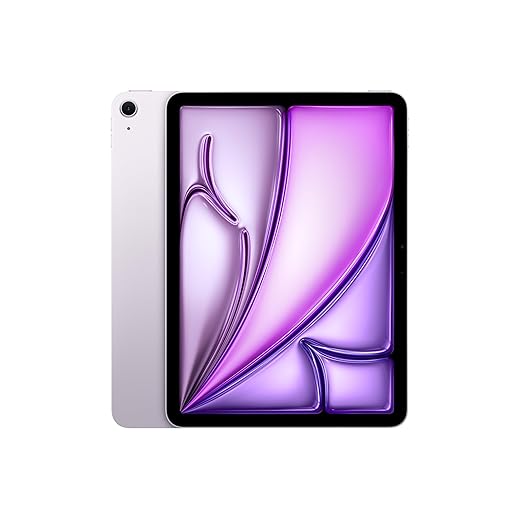
iPad Air M2 vs. iPad Pro: A Feature-by-Feature Breakdown
| Feature | iPad Air M2 | iPad Pro (M4, 11-inch) |
|---|---|---|
| Processor | M2 Chip | M4 Chip |
| Display | Liquid Retina (LED) | Ultra Retina XDR (Tandem OLED) |
| ProMotion Technology (120Hz) | No | Yes |
| Face ID | Yes | Yes |
| USB-C Port | USB-C (Thunderbolt/USB 4) | USB-C (Thunderbolt/USB 4) |
| Apple Pencil Support | Apple Pencil (USB-C), Apple Pencil (1st Gen), Apple Pencil Pro | Apple Pencil (USB-C), Apple Pencil Pro |
| Storage Options | 128GB, 256GB, 512GB, 1TB | 256GB, 512GB, 1TB, 2TB |
| Camera System | Wide (12MP), Ultrawide (12MP) | Wide (12MP), Ultrawide (10MP) |
| LiDAR Scanner | No | Yes |
Apple iPad Air M2: Pros and Cons
-
Pros
- Powerful M2 Chip: Handles demanding creative apps with ease, offering smooth performance for drawing, editing, and multitasking.
- Excellent Display: The Liquid Retina display is bright, color-accurate, and offers a great viewing experience for art and media consumption.
- Support for Apple Pencil Pro: Adds advanced haptic feedback and squeeze gestures, enhancing the artistic experience without the Pro price tag.
- Sleek and Lightweight Design: Highly portable, making it perfect for artists on the go or students who need to carry their work between classes.
- USB-C Thunderbolt/USB 4 Port: Offers fast data transfer speeds and versatile connectivity for accessories.
- Competitive Pricing: Significantly more affordable than the iPad Pro, making professional-grade tablet computing accessible to more users.
- Great Battery Life: Easily lasts a full day of intensive use, crucial for long creative sessions or a busy school schedule.
-
Cons
- No ProMotion (120Hz): While the display is excellent, it lacks the super-smooth 120Hz refresh rate of the Pro models, which some users find essential for the most fluid drawing experience.
- No Tandem OLED: The display is great, but it doesn’t offer the same contrast ratios and deep blacks as the Pro’s Tandem OLED.
- Fewer Storage Options (starting at 128GB): While 128GB is ample for many, some professionals might miss the higher tiers available on the Pro starting at 256GB without going for the 512GB or 1TB option.
- No LiDAR Scanner: Lacks the LiDAR scanner found on the Pro models, which can be beneficial for AR applications and advanced 3D scanning.
The Final Word: Is the iPad Air M2 the Right Tablet for You?
In our ipad air m2 review, it’s clear that Apple has hit a sweet spot with this device. For digital artists who demand a powerful, responsive tablet for drawing, painting, and photo editing, the M2 chip is more than capable. Students will appreciate its robust performance for note-taking, research, and handling various academic applications. While the iPad Pro offers cutting-edge display technology and features like ProMotion, these come at a significant cost. For the vast majority of users looking for the best tablet for digital art or a reliable powerhouse for their studies, the iPad Air M2 provides an exceptional experience without breaking the bank. It’s the smart choice that balances performance, features, and affordability perfectly.

Frequently Asked Questions
1. Is the iPad Air M2 good enough for professional digital art?
Absolutely! The M2 chip is incredibly powerful and can handle professional-grade art applications like Procreate, Adobe Photoshop, and Illustrator with ease. The display is color-accurate, and with support for the Apple Pencil Pro, you get an excellent drawing and painting experience that rivals more expensive options. While the Pro might offer marginal benefits for some niche workflows, the Air M2 is more than sufficient for most professional digital artists.
2. How does the iPad Air M2 compare to the iPad Pro for students?
For students, the ipad air vs ipad pro decision often comes down to budget and essential features. The iPad Air M2 is a fantastic choice. It offers plenty of power for note-taking, research, writing papers, and running educational apps. It’s also lighter and more portable, which is a big plus for carrying it around campus. Unless your studies specifically require the advanced display features or LiDAR of the Pro, the Air M2 will serve you exceptionally well and save you a considerable amount of money.
3. Which Apple Pencil should I use with the iPad Air M2?
The iPad Air M2 is compatible with the Apple Pencil (USB-C), the Apple Pencil (1st generation), and the new Apple Pencil Pro. For the most enhanced artistic experience, we highly recommend the Apple Pencil Pro. It offers features like haptic feedback, squeeze gestures, and hover support that can significantly improve your creative workflow. However, if budget is a concern, the Apple Pencil (USB-C) offers a great balance of features and affordability for digital art and note-taking.
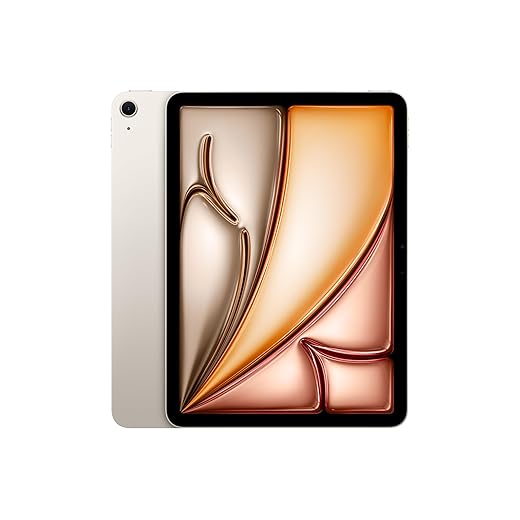
Apple iPad Air 11-inch with M3 chip: Apple Intelligence, 128 GB, 12MP Front/Back Camera, Wi-Fi 6E, Touch ID, All-Day Battery Life — Starlight
Features
| Finish | Blue Purple Starlight Space Grey |
| Capacity | 128GB 256GB 512GB 1TB |
| Size and Weight | Wi-Fi models Height: 247.6 mm (9.74 inches) Width: 178.5 mm (7.02 inches) Depth: 6.1 mm (0.24 inches) Weight: 460 grams (1.01 pounds) Wi-Fi + Cellular models Height: 247.6 mm (9.74 inches) Width: 178.5 mm (7.02 inches) Depth: 6.1 mm (0.24 inches) Weight: 460 grams (1.01 pounds) |
| In the Box | iPad Air 11-inch USB‑C Charge Cable (1 metre) 20W USB-C Power Adapter |
| Display | 11 inches Liquid Retina display LED backlit Multi-Touch display with IPS technology 2 360x1 640 resolution at 264 pixels per inch (ppi) Wide colour display (P3) True Tone Fingerprint-resistant oleophobic coating Fully laminated Anti-reflective coating 500 nits brightness Supports Apple Pencil Pro Supports Apple Pencil (USB-C) Apple Pencil hover |
| Chip | Apple M3 chip 8-core CPU with 4 performance cores and 4 efficiency cores 9-core GPU Hardware-accelerated ray tracing 16-core Neural Engine 8GB RAM |
| Camera | 12MP Wide camera, ƒ/1.8 aperture Digital zoom up to 5x Five-element lens Panorama (up to 63MP) Sapphire crystal lens cover Aytofocus with Focus Pixels Smart HDR 4 Wide colour capture for photos and Live Photos Photo geotagging Auto image stabilisation Burst mode Image formats captured: HEIF and JPEG |
| Video Recording | 4K video recording at 24 fps, 25 fps, 30 fps or 60 fps 1080p HD video recording at 25 fps, 30 fps or 60 fps 720p HD video recording at 30 fps True Tone flash Slo‑mo video support for 1080p at 120 fps or 240 fps Time-lapse video with stabilisation Extended dynamic range for video up to 30 fps Cinematic video stabilisation (4K, 1080p and 720p) Continuous autofocus video Playback zoom Video formats recorded: HEVC and H.264 |
| Front Camera | 12MP Ultra Wide front camera ƒ/2 aperture Smart HDR 4 1080p HD video recording at 25 fps, 30 fps or 60 fps Time-lapse video with stabilisation Extended dynamic range for video up to 30 fps Cinematic video stabilisation (1080p and 720p) Wide colour capture for photos and Live Photos Lens correction Retina Flash with True Tone Auto image stabilisation Burst mode |
| Speakers | Landscape stereo speakers |
| Microphones | Dual microphones for calls, video recording and audio recording |
| Sensors | Touch ID Three-axis gyro Accelerometer Barometer Ambient light sensor |
| Touch ID | Unlock iPad Secure personal data within apps Make purchases from the iTunes Store, the App Store and Apple Books |
| Charging and Expansion | USB‑C port with support for: Charging DisplayPort USB 3 (up to 10Gb/s) |
| Display Support | Supports full native resolution on the built-in display at millions of colours Supports one external display with up to 4K resolution at 60Hz Digital video output Native DisplayPort output over USB‑C VGA, HDMI and DVI output supported using adapters (sold separately) Video mirroring Up to 4K AirPlay for mirroring, photos and video out to Apple TV (2nd generation or later) or AirPlay–enabled smart TV Video mirroring and video out support through USB‑C Digital AV Multiport Adapter and USB‑C VGA Multiport Adapter (adapters sold separately) |
| Power and Battery | iPad Air 11-inch Built-in 28.93-watt-hour rechargeable lithium-polymer battery Up to 10 hours of surfing the web on Wi‑Fi or watching video Charging via power adapter or USB-C to computer system Wi‑Fi + Cellular models Up to 9 hours of surfing the web using a mobile data network |
- WHY IPAD AIR — iPad Air is powerful, versatile and comes in a choice of two sizes. Featuring the incredible performance of the M3 chip and a stunning Liquid Retina display along with Touch ID, advanced cameras, blazing-fast Wi-Fi 6E and a USB-C connector.* Plus powerful productivity features in iPadOS and a next-generation Apple Pencil Pro experience.*
- APPLE INTELLIGENCE — Apple Intelligence is the personal intelligence system that helps you write, express yourself and get things done effortlessly.* With groundbreaking privacy protections, it gives you peace of mind that no one else can access your data — not even Apple. Apple Intelligence available now.
- PERFORMANCE AND STORAGE — The M3 chip lets you multitask smoothly between powerful apps and play graphics-intensive games. And with all-day battery life, you can keep working and playing wherever you go.*
- 11-INCH LIQUID RETINA DISPLAY — The gorgeous Liquid Retina display features advanced technologies like P3 wide colour, True Tone and ultralow reflectivity, which make everything look stunning.*
- IPADOS + APPS — iPadOS makes iPad more productive, intuitive and versatile. With iPadOS, run multiple apps at once, use Apple Pencil to write in any text field with Scribble, and edit and share photos.* Stage Manager makes multitasking easy with resizable, overlapping apps and external display support. iPad Air comes with essential apps like Safari, Messages and Keynote, with over a million more apps available on the App Store.
- APPLE PENCIL AND MAGIC KEYBOARD — Apple Pencil Pro transforms iPad Air into an immersive drawing canvas and the world’s best note‑taking device. Apple Pencil (USB-C) is also compatible with iPad Air.* Magic Keyboard for iPad Air delivers an amazing typing experience with a built-in trackpad and 14-key function row, and it doubles as a protective cover on the go.*
- ADVANCED CAMERAS—iPad Air features a 12MP Center Stage front camera that’s perfect for video calls and selfies. The 12MP Wide back camera is perfect for document scanning and capturing photos and 4K videos.
- CONNECTIVITY — Wi-Fi 6E gives you fast wireless connections.* Work from almost anywhere with quick transfers of photos, documents and large video files. Connect to external displays and more with the USB-C connector.
- UNLOCK AND PAY WITH TOUCH ID — Touch ID is built into the top button, so you can use your fingerprint to unlock your iPad Air, sign in to apps and make payments securely with Apple Pay.*
- * LEGAL DISCLAIMERS — This is a summary of the main product features. See below to learn more.